Load, Performance & Stress Testing — made simple
LPS Tool is a flexible framework for testing your web application's performance under simulated load with structured rounds, iterations, and powerful iteration modes.
LPS Tool is a flexible framework for testing your web application's performance under simulated load with structured rounds, iterations, and powerful iteration modes.
LPS Tool provides everything you need to build comprehensive load testing scenarios
Built on Rounds and Iterations for organized, realistic testing scenarios that simulate real user behavior.
Switch Iteration Modes to mimic real users and bursts.
Scale across multiple nodes with master-slave architecture for high-volume load testing.
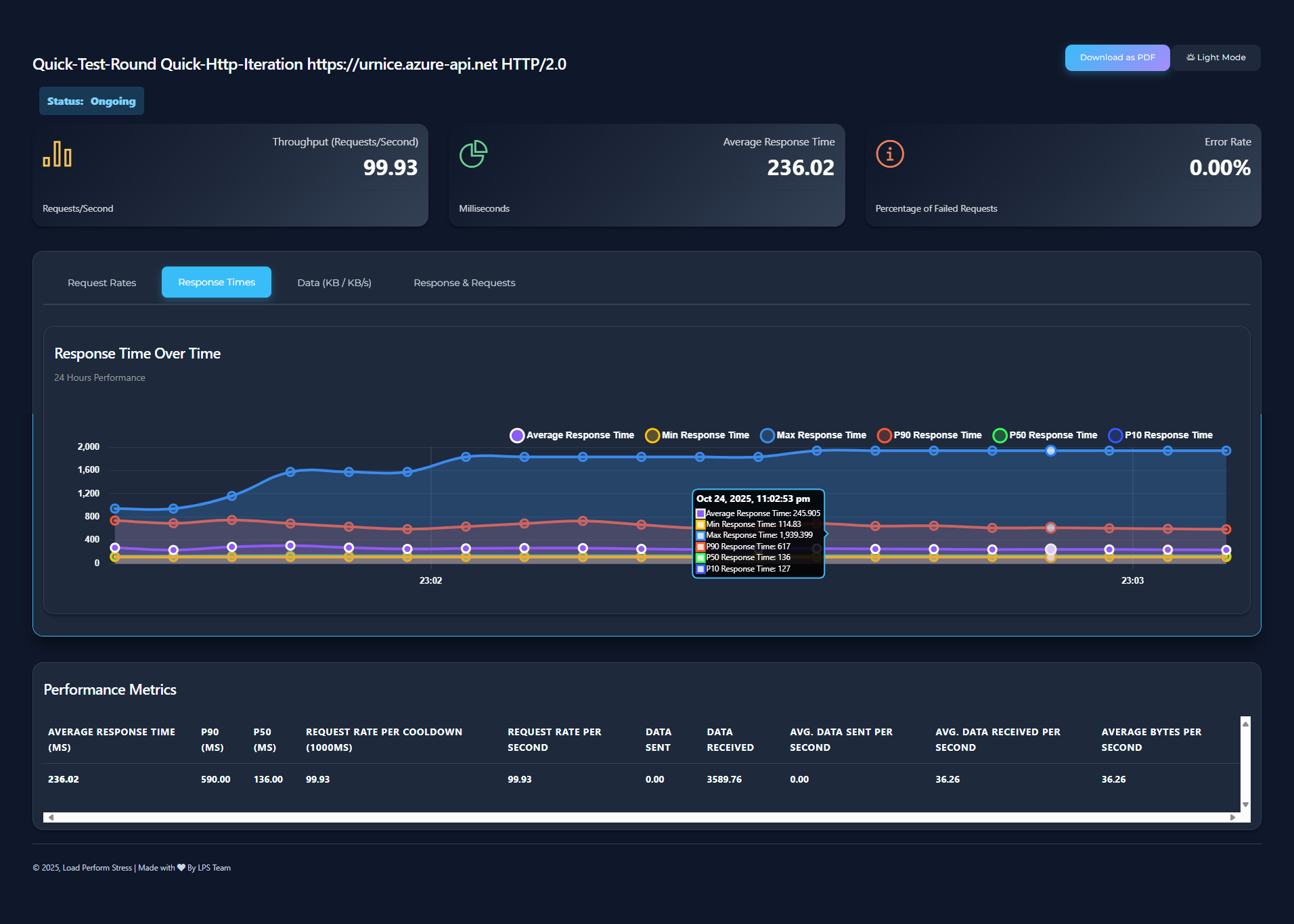
Monitor essential metrics with an intuitive dashboard that updates dynamically during tests.
Dynamic value generation with built-in methods for random data, counters, timestamps, and more.
Skip an iteration based on runtime expressions and variables — ideal for branching logic during a run.
Post‑run quality gates (max error rate, P90/P50, etc.) to classify iterations as pass/fail for reporting.
Real‑time stop conditions with grace periods (e.g., sustained high error rate) evaluated at the master node.
Automatic resource monitoring and test control to prevent the running machine from overload during testing.
Prerequisite: .NET 8 SDK must be installed on your machine.
Tip: If the command isn't found, add the .NET tools path to your PATH environment variable (shown by dotnet tool list -g).
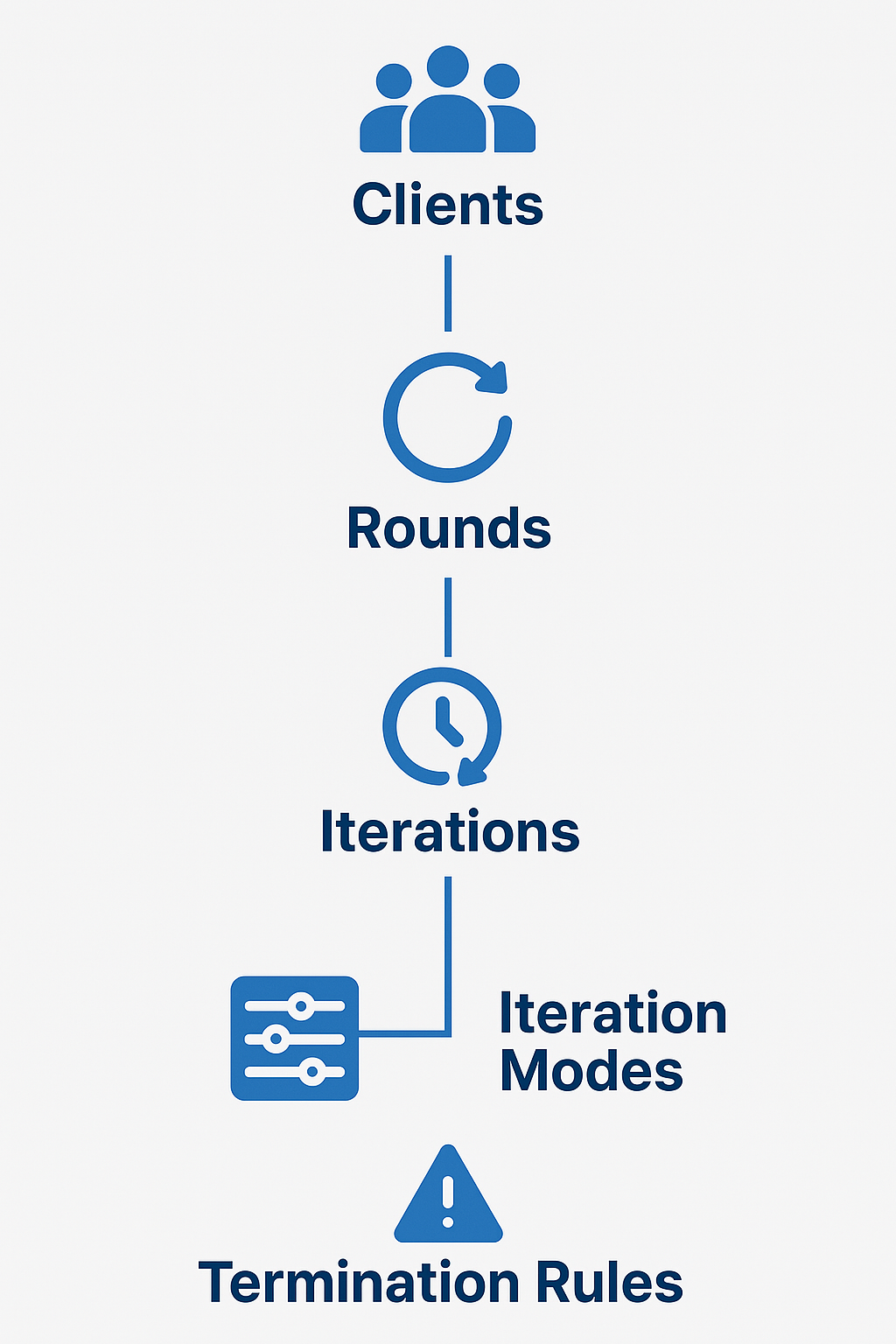
The LPS structure gives you full control with a simple, powerful architecture
Virtual users that run groups of iterations, simulating gradual user entry into the system.
Testing phases that run sequentially, each with its own configuration and client count.
Individual scenarios within a round that define target endpoints and execution behavior.
Control the pattern and timing of requests to simulate realistic user behavior.
A high-level view of LPS components and how they interact during runs.
Define complex testing scenarios with clean, readable YAML configuration
Download LPS Tool today and take control of your application's performance and scalability
Get LPS Tool